
Dialova team ·
Comic chat on Dialova, inspired by Microsoft Comic Chat
The residents of Dialova, their expressions, and your conversations in speech bubbles: discover Dialova's comic mode, inspired by Microsoft Comic Chat and adapted for today's chat.
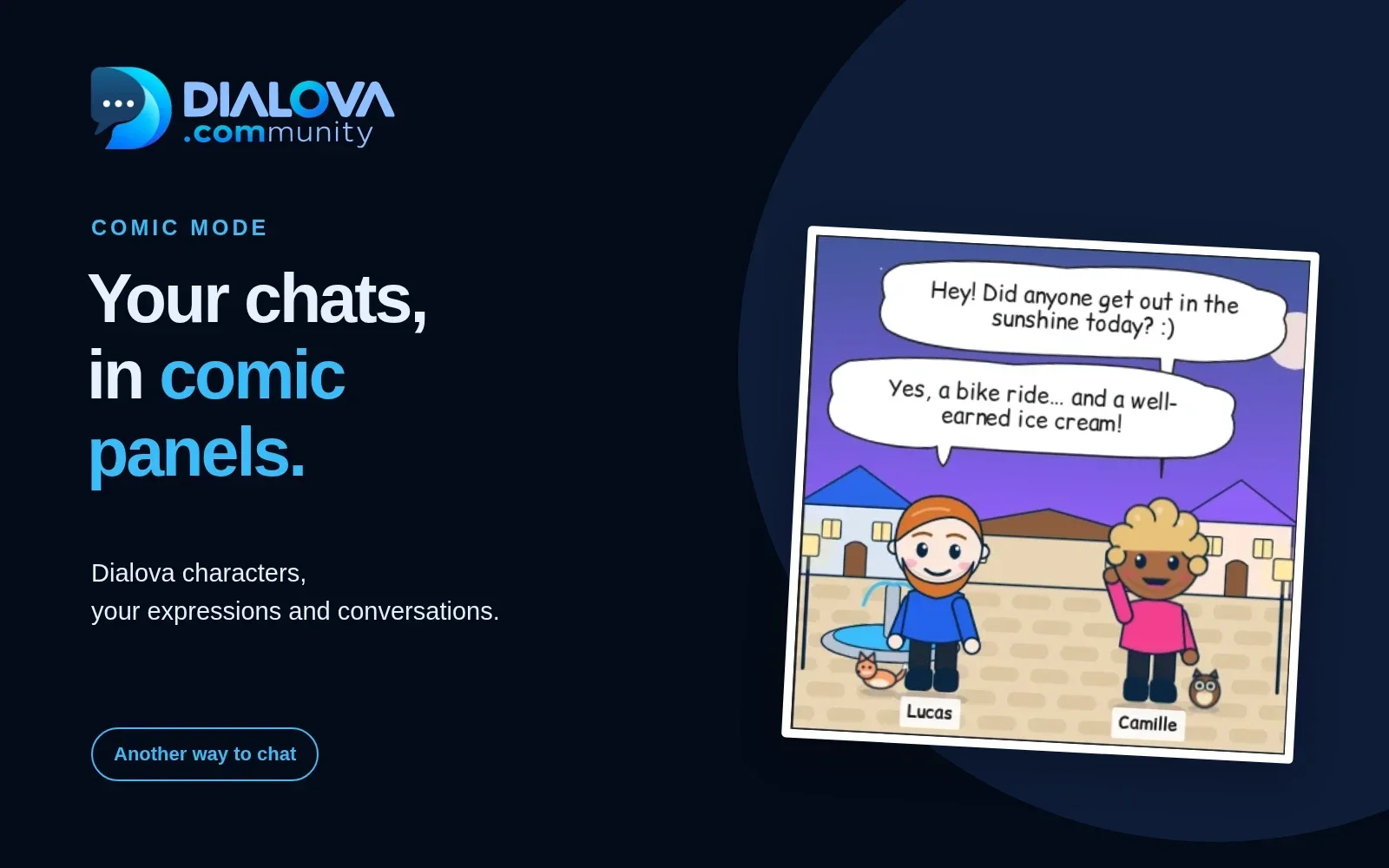
What if your next chat looked like a comic book? A greeting in a speech bubble, a playful response, three avatars sharing the same panel… On Dialova, Comic Mode gives a new look to chat room conversations.
You write as usual. Around your messages, the residents of Dialova take their place, expressions change, and panels fill as the exchanges progress. No script to prepare: the little story is the one you create together by chatting.
This way of representing chat has a surprising ancestor: Microsoft Comic Chat, also known as Microsoft Chat. We wanted to rediscover this pleasure in a chat accessible from a browser. Here's what it looks like on Dialova, and the story that inspired us.
Your discussions take place in panels
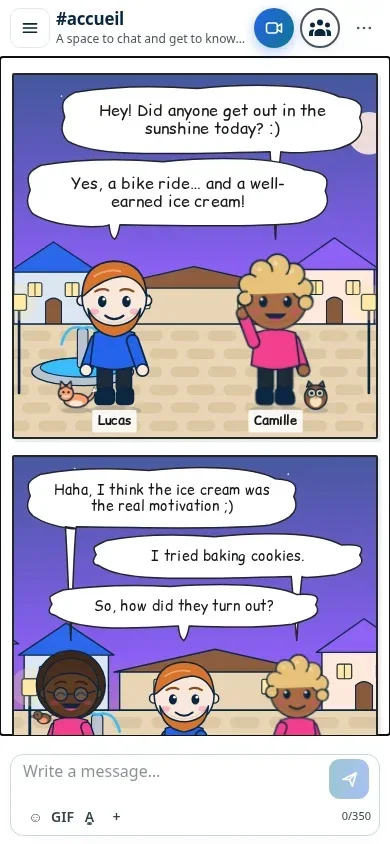
In comic chat, your interlocutors are no longer just pseudonyms at the beginning of a line. They appear in the form of their avatar, with their name under the drawing and their words in speech bubbles.
Several participants can be in the same panel. An exchange advances, a reaction arrives, and then the conversation continues in the next one. The framing can zoom in on an avatar or leave more space for the group. The result retains a spontaneous feel: even a debate about overcooked cookies can take on the appearance of a small scene.
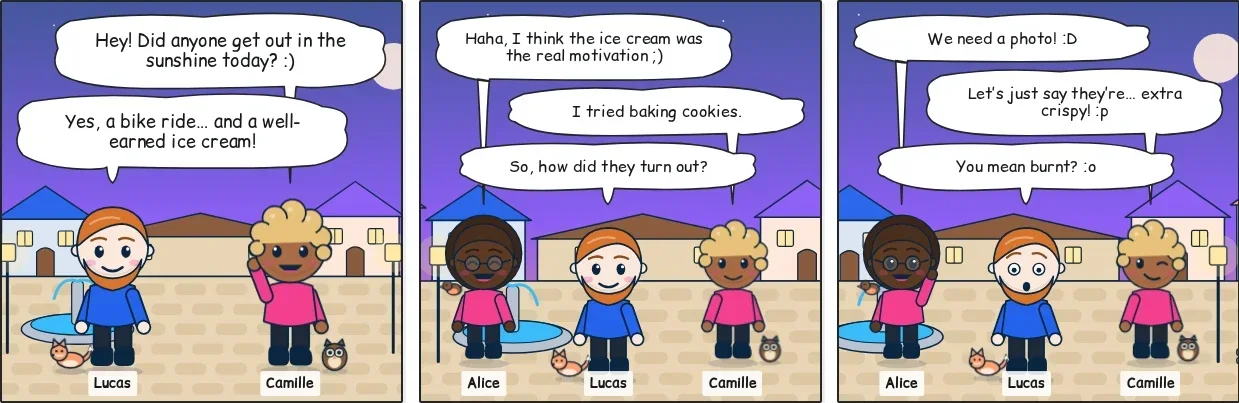
You don't have to compose the page yourself, move the avatars, or draw the speech bubbles. You remain in the discussion. This is precisely what we like about this idea: the drawing accompanies the exchange without asking you to become a comic book author.
Dialova: A Place to Talk
The comic mode avatars don't appear out of nowhere. They are the residents of Dialova, our village.
At the end of the map, where the road stops at the water's edge, there's a small harbor. People don't come here to fish or make a stopover: they come here to talk. Every evening, when the lighthouse turns on, the residents come down to the Square, sit on the benches, and share their day.
No one really knows who founded Dialova. Léon, the explorer, claims to have found the village by following his compass, which he loses almost every day. Bobot, the robot of the harbor, keeps the lighthouse, welcomes newcomers, and starts quizzes when the conversation runs out of steam.
You'll find these residents everywhere in Dialova: in panels in comic mode, on the Square in the open world, on member profiles, and in private conversations. Your avatar is the same from one place to another.
An Avatar That Resembles You… Or Not At All
You begin by choosing your role: the Explorer, the Bard, the Mage, the Sailor, the Innkeeper, or the Walker. Each role has its own outfit and personality. You then create your resident: skin color, hairstyle and hair color, eyes, a beard or not, glasses or not, and the color of the outfit.
A companion can also follow you: Noisette the fox, Do the nightingale, Minuit the owl, Cachou the seagull, or Paprika the red cat. You can easily do without one.
Everything is adjusted on the My Avatar page, in your member area. From BD mode, the Edit my avatar link takes you there directly. Your character is saved with your account: you don't have to redo this choice each visit. Your username remains your identifier in the chat room. The avatar gives you a visual presence, without replacing your profile.
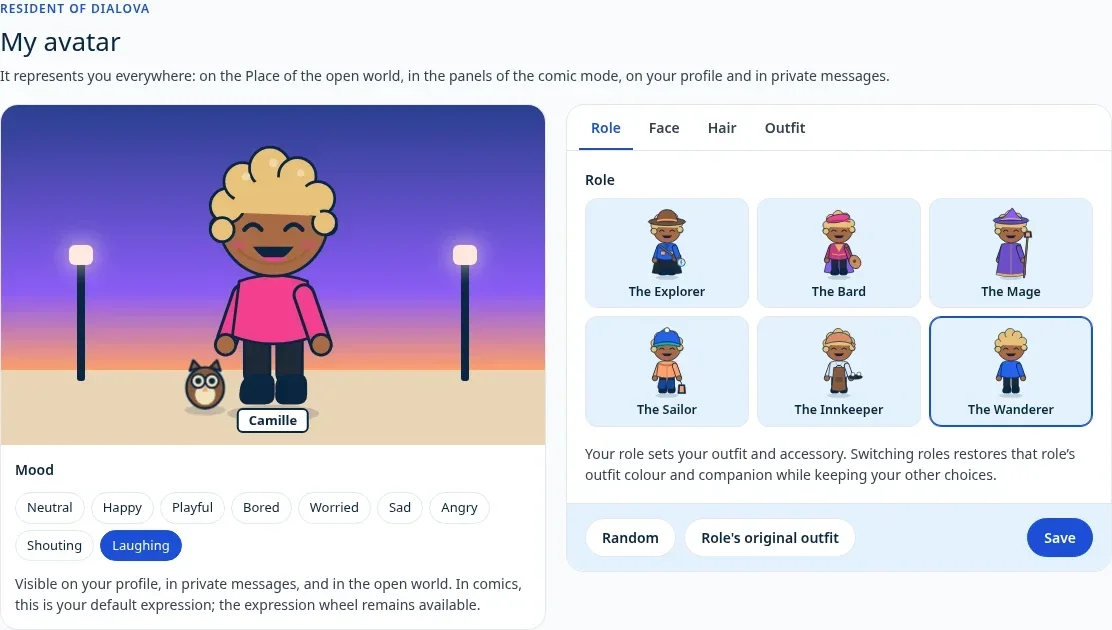
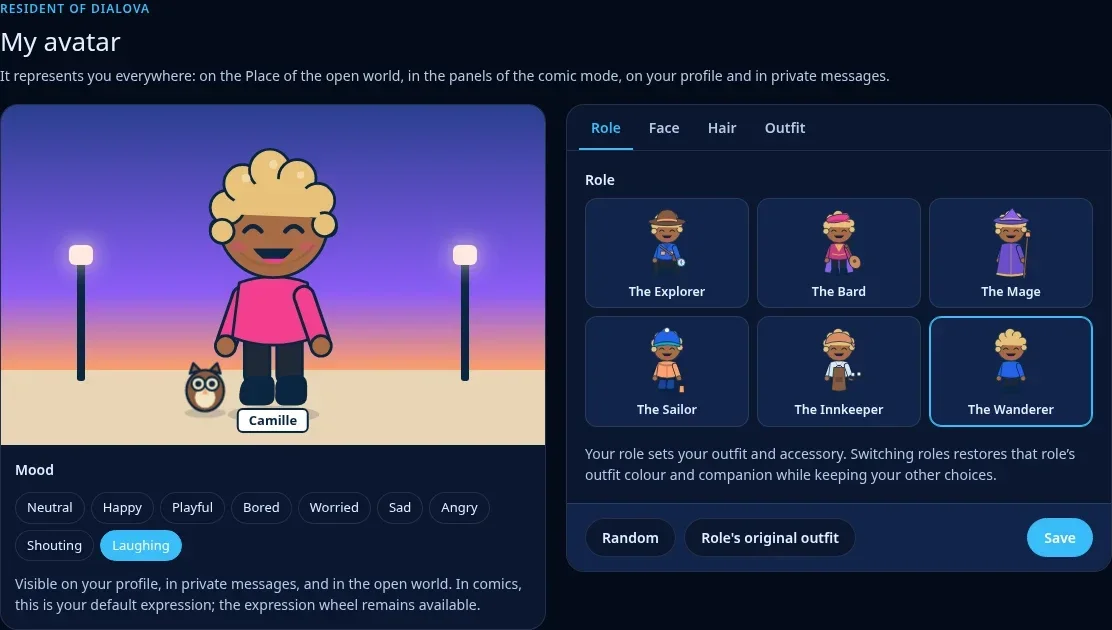
Expressions then add depth to messages. Each character has nine, from neutral to laughter, surprise, or anger. On the My Avatar page, you also give it a mood: this is its face on your profile, in private chats and in the open world, and its default expression in the BD. You can choose them with the wheel located below the member list, or leave the setting Auto to handle it. Some clues in the text, notably smileys like :) or :'(, can guide the avatar's expression.
This isn't a mind-reading tool. A joke, irony, or an ambiguous sentence can't be reduced to a few signs: if you want a specific expression, the manual choice remains available.
The setting also belongs to the chat room
Avatars discuss in front of a backdrop that contributes to the atmosphere. These are the locations in the village: the Square, the lighthouse, the tavern, the harbor, the beach, and the garden. The choice of backdrop is managed by the authorized moderators of the chat room, in the chat room settings. Participants share a common setting.
BD mode maintains a presentation focused on dialogue. Arrivals and departures don't become panels, and previews of links or video players don't fill the speech bubbles. The idea is to be able to follow an illustrated conversation, without accumulating all the text display elements in it.
How to activate comic strip chat on Dialova?
- Log in to your account and open a chat room on the Dialova network.
- Open the ⋯ menu in the chat room header.
- Activate Comic strip mode.
- Type your message as usual, then discover the conversation in its new form.
To find settings and answers to practical questions, see our guide: How to enable BD mode on Dialova?.
You can return to the text from the same menu. Your display choice is saved in your browser. BD mode applies to Dialova channels; private conversations and external networks retain their text presentation.
It's not necessary for everyone to enable BD. You can read the conversation in panels while another person continues to follow it in text: you are participating in the same exchange.
On phones, panels follow vertically to make room for avatars and speech bubbles. On a large screen, multiple panels can be arranged side by side.
Microsoft Comic Chat: When Chat Looked Like a Comic Book
The idea may seem surprising today, but it existed as early as the 1990s. Microsoft Comic Chat, launched in 1996, offered to transform IRC conversations into illustrated scenes. Instead of a simple text stream, participants discovered avatars, gestures, and speech bubbles.
The software didn't just place a drawing next to each message. It sought to organize the speakers, their expressions, and their words into a comic book page. Behind this playful aspect was a real effort to stage conversations.
The project was notably led by David “DJ” Kurlander at Microsoft Research, with graphics designed by Jim Woodring. Microsoft reflects on this adventure in their article dedicated to Comic Chat.
Those who remember Microsoft Chat sometimes recall the avatars or bubbles first. For others, it's the discovery of a path that current messaging services rarely explore: making the dialogue itself a small scene to watch.
The 2026 Open Source Release Inspired Us to Revisit This Idea
On July 16, 2026, Microsoft announced the release of the source code for Comic Chat. The official repository is distributed under the MIT license and allows you to study the operation of this historical software.
This publication inspired us to revisit the concept on Dialova. We studied its way of organizing dialogues, avatars, and panels, then adapted this approach to our web interface and channels.
Dialova's comic mode is an independent implementation, integrated into our site. It is not a new official version of Microsoft Chat, nor a service offered by Microsoft. The avatars and decorations are our own: the inhabitants and places of Dialova were drawn for our site. What we want to extend is an idea: a discussion can be both easy to join and fun to watch.
Another Way to Enjoy the Same Chat
The text remains available for moments when you prefer to get straight to the point. The comic format brings another rhythm, a bit of surprise, and expressions that invite you to respond. It's up to you to choose what works best.
Never used Microsoft Comic Chat? You don't need to learn about this old software to try it. A channel, an inhabitant, a few words: the first panel can begin with a simple hello.
Join Dialova · Learn how Dialova works
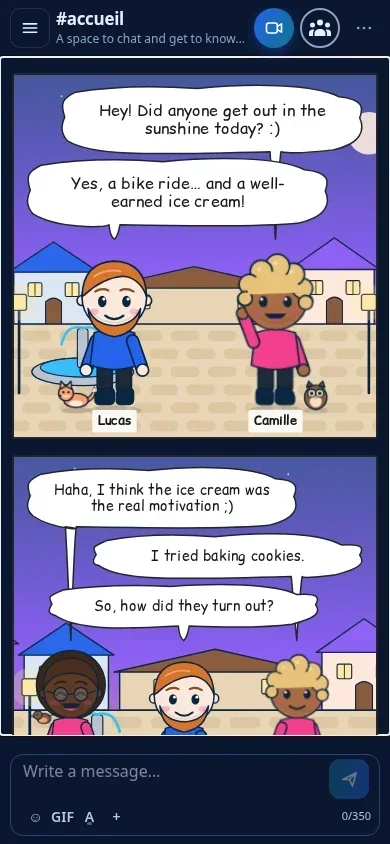
The screenshots in this article show a demonstration conversation conducted on an isolated Dialova instance, with fictional accounts. They illustrate the actual operation of BD mode.
The discussion continues
Comments 0
Comments are public.
Loading comments...