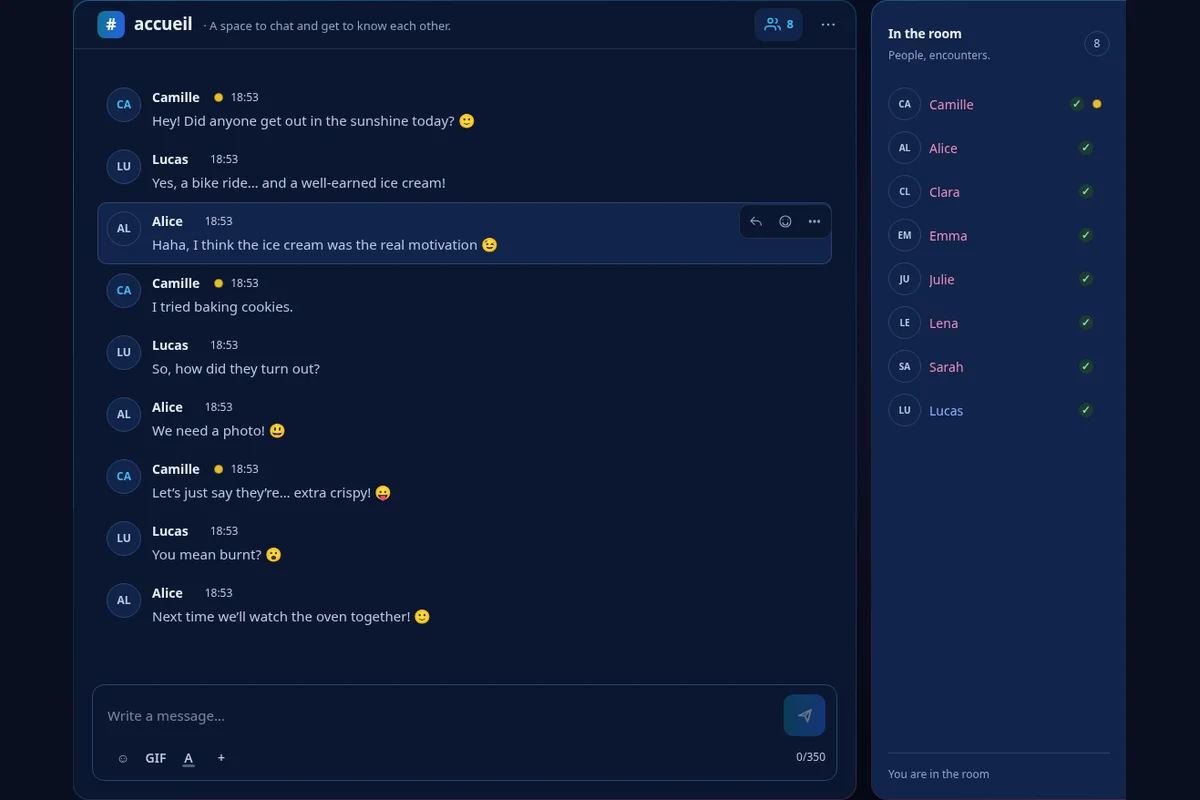
How does Dialova work?
Sign up with Google when this option is offered, or with your email address and a password. After the verification steps, you'll access the chat: community rooms and your private conversations are located in tabs within the same interface.
Choose your signup method
With Google, follow the connection at Google and then complete the information requested by Dialova. With email signup, fill out the form and open the confirmation link received. This link connects you to the chat; an additional code is required if two-factor authentication is enabled.
The video above illustrates an email signup. The written guide also explains quick signup, which doesn't require creating a Dialova password.
Familiarize yourself with the chat
The room member list allows you to open actions for a nickname and view their profile. The Rooms button lets you discover available discussions. Tabs allow you to switch between a room and a private conversation without mixing them up.
For a different presentation of the exchanges, the ⋯ menu in the room offers comic book mode: your messages appear in bubbles, carried by the residents of Dialova. Your avatar is created in My space, on the My avatar page.
Choose what you share
Complete your profile with what you want to show, then start with a simple message in the room. Webcam use is optional. Chat settings also allow you to adapt certain preferences, including unsolicited private messages and access to external networks.